Place your order on our website. Confirm via WhatsApp for quick processing. Chat with our sales team before payment. Once processed, collect your order at A-sashi Wangsa Walk Mall.
Same Day Delivery
Contact our sales team via WhatsApp for pricing and stock availability. Provide delivery details (Klang Valley only) for fee check. Make payment via instant transfer : Maybank (5640-6143-6810). Send proof of payment, and we’ll arrange delivery via Lalamove.
> Supports zooming in and out of images, and adjusting their brightness, contrast and saturation.
> The images will be automatically saved to the album when AI photo is turned on, and you can click any of the images to make annotations, rotate them and more.
> Supports the use of fingers to make annotations, rotate images and more.
Supports moving images with your fingers, scaling with 2 fingers and erasing with the swiping gesture.
Annotation
6 selectable colors
Eraser
3 eraser sizes and one-click clear page
Rotation
Supports rotating the screen 90 degrees with one click.
Picture
Images are automatically optimized after switching to the AI photo function (the tablet device should be connected to the booth)
Album
The images will be automatically saved to the album when AI photo is turned on. You can click any of the images to view and rotate them, make annotations, and more.
Import the images from OPS to the album in the whiteboard. It supports saving annotated images and performing split screen (6 windows), which helps with making comparisons during teaching. You can also erase annotations, use full screen view, zoom in and out, rotate images, save, and replace images.
Tools
Supports zooming in and out of images, and adjusting their brightness, contrast and saturation.
Settings:
1. Frames Tab: Supports enabling and disabling panoramic mode, motion, HDV and screen lock.
2. Photo Tab: Supports enabling and disabling AI photo, smart photo, comparison, and burst mode. Burst mode has 3 options: smart, 5 sec and 10 sec.
3. Routine Tab: Supports enabling and disabling device model, resolution, and tips, and selecting the toolbar (bottom/2 sides), focus (lock/auto), and language (Chinese/English).
Device information can also be displayed.
Aerial View
Supports displaying images on the whiteboard and navigating within large images.
Minimization
Windows can be minimized.
Camera
Power Supply
USB
Voltage
5 VDC
Current
<500 mA
Power Consumption
≤2.5 W
Standby Power Consumption
≤0.25 W
Operating Temperature
–15 °C to +45 °C (+5 °F to +113 °F)
Storage Temperature
–20 °C to +60 °C (–4 °F to +140 °F)
Operating Humidity
0%–93%, 101 KPa
Storage Humidity
0%–95%, 101 KPa
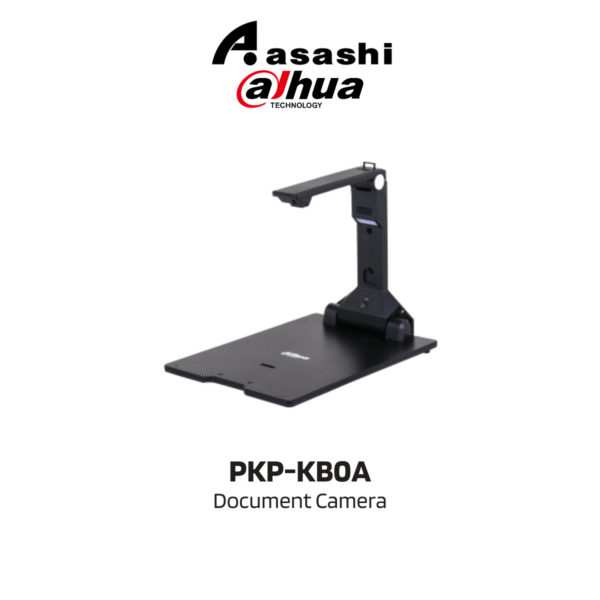
Product Dimensions
When open, 388 mm × 385 mm × 270 mm (15.28" × 15.16" × 10.63");
When closed, 380 mm × 70 mm × 270 mm (14.96" × 2.76" × 10.63")
Packaging Dimensions
326 mm × 105 mm × 454 mm (12.83" × 4.13" × 17.87")


Reviews
There are no reviews yet.